IDEMIA · Desktop fingerprint enrolment

MSO 330/331 USB

An optical fingerprint reader for staffed enrolment desks.

Both USB readers acquire a single fingerprint and compare templates on the device. Choose the 331 variant where your application calls for the additional presentation-attack detection option.
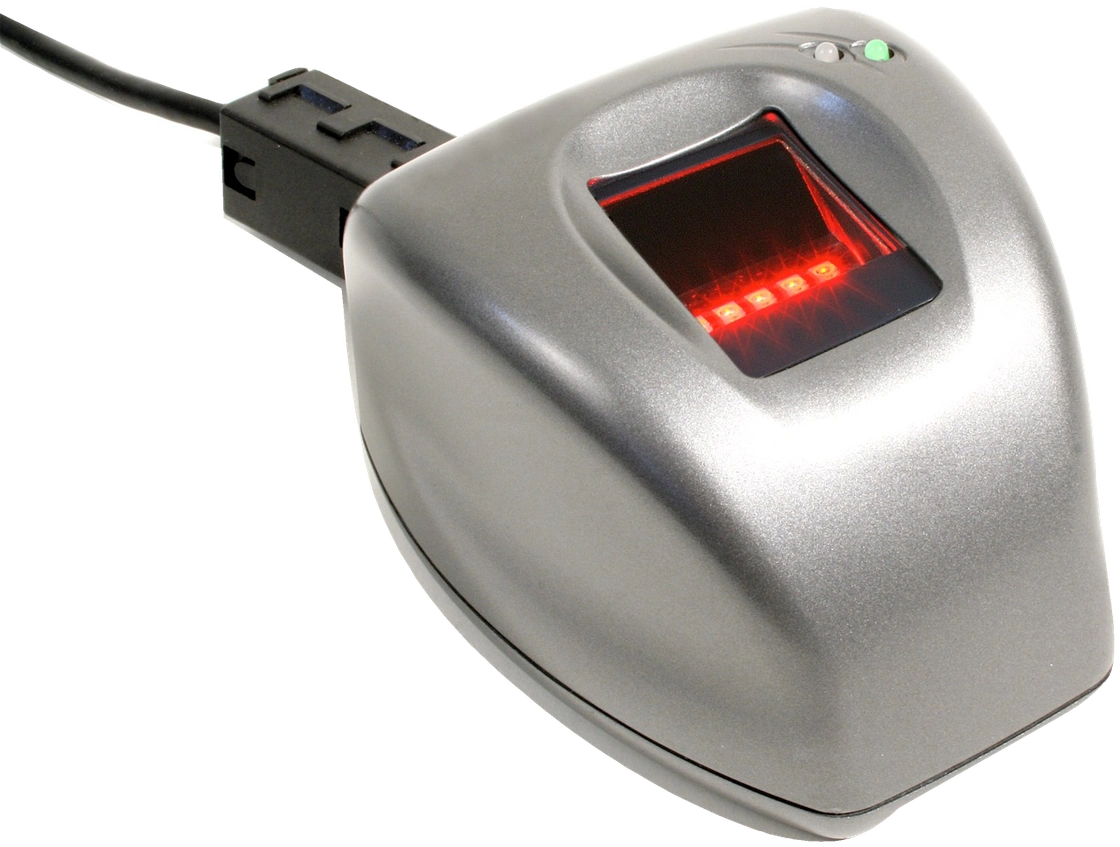
Silver desktop MSO 330 series USB reader with an illuminated optical fingerprint sensor

Why specify MSO 330/331 USB?

Enrol a single finger

500 dpi image resolution

The FAP30 optical sensor captures fingerprint detail for civil enrolment and workplace identity checks.

Guide finger placement

25.4 × 20.3 mm sensing area

The larger capture window helps operators position fingers of different sizes and repeat a scan consistently.

Size the local database

Up to 5,000 users with licence

The standard database holds 500 users. Larger licensed tiers support local identification at higher volumes.

Identity checks at counters and enrolment stations

Identity registration At a staffed counter, an operator can inspect image quality and recapture the fingerprint before attaching a template to the applicant’s record.

Repeat visits A service application can compare the print against a claimed identity or ask the reader to search its local database. Choose the matching mode that fits your registration process.

Existing workstations Test the MSO SDK, driver and stored template format on the workstation before replacing an installed MSO 300 or 301.

Article 65 : What you need to know about IDEMIA fingerprint sensors?

Technical specifications

USB and software

The desktop reader connects to its host by USB. IDEMIA provides an MSO SDK for Windows and Linux. Verify the supported version for your host application.

Matching and capacity

One-to-one verification and one-to-many identification run on the reader. A 500-user base capacity can be expanded to 3,000 or 5,000 users with the relevant licence.

Model selection

Select MSO 330 for optical capture or MSO 331 for deployments that require optoelectronic fake-finger detection. For a kiosk or embedded assembly, compare the MSO 330/331 OEM modules.

Replacing a reader

For an existing MSO 300 or 301 installation, check the MSO 300 series brochure (PDF) and record the part number, driver and template configuration before requesting a replacement.

Get a project quote

Choose a quantity and add the USB readers to your quote list. Tell us which variant, host operating system, database capacity and detection options you need.

© Copyright 2026. Biotime Biometrics. All rights reserved. Design by Iziweb Consulting