
IDEMIA · Reader installation accessories

VisionPass SP mounting spacer

Create 30 mm of space between a VisionPass SP reader and the wall.

This black metal spacer keeps the mounting bracket clear of the wall so the installer can route connections behind the terminal. Three screws are supplied for attaching the wall mounting bracket.
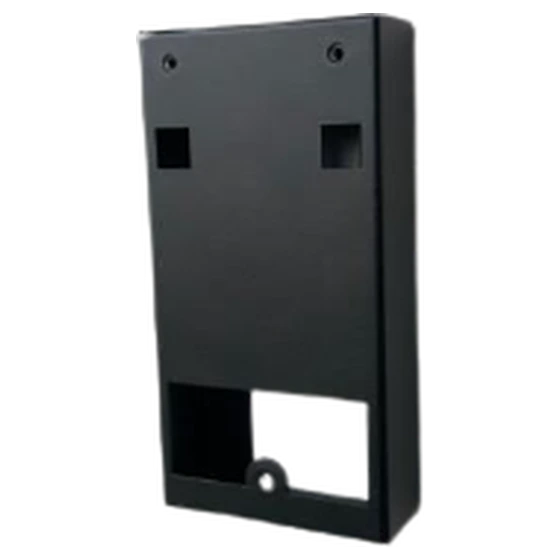
IDEMIA reader mounting spacer

VisionPass SP spacer dimensions and fixings

Rear clearance

30 mm mounting depth

The spacer moves the VisionPass SP mounting position 30 mm forward from the wall.

Spacer footprint

150 × 78 mm

Use the two face dimensions to check the intended mounting position before running the cable.

Bracket attachment

3 screws supplied

The three supplied screws attach the wall mounting bracket to the spacer. Select wall fixings for the actual substrate.

Plan the mounting depth before fitting the reader

At a solid-wall entrance. When the connectors cannot sit in a recess behind the terminal, the spacer gives them a defined 30 mm space. Check the connector depth and cable bend against that allowance.

At the fixing point. Measure the clear wall area and check the sight line of the installed face reader. Identify the bracket on site before ordering, particularly if the entrance also uses an angled mount or visor.

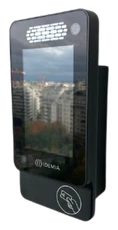
Side view of a VisionPass SP terminal fitted to the black mounting spacer

Technical specifications

Reader family

Designed for the IDEMIA VisionPass SP. Identify the terminal model separately if the installation uses another VisionPass version.

Material and dimensions

Black metal. Overall dimensions are 150 × 78 × 30 mm, with a 30 mm gap between the terminal and the mounting surface.

Supplied fixings

Three screws are provided for attaching the wall mounting bracket. Check the wall construction and suitable fixings for the mounting surface.

Installation check

Confirm the cable entry position, connector clearance and bracket combination. If a separate mount or visor is already installed, include its exact reference so the team can verify the fixing arrangement.

Get a project quote

Choose the quantity and add the spacer to your quote list. Include the exact VisionPass SP terminal, wall type and any other bracket or visor at the entrance.

© Copyright 2026. Biotime Biometrics. All rights reserved. Design by Iziweb Consulting